
Every swing. Every flight.
Trace every golf shot.
Automatically.
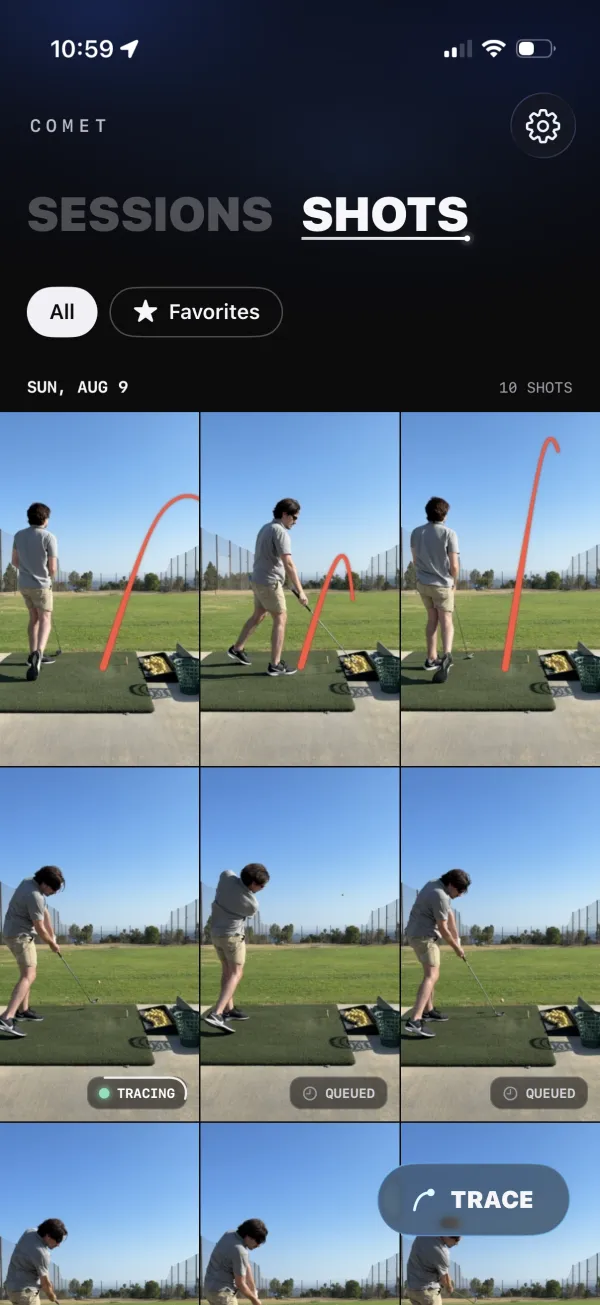
Record your range session or round. Comet finds every swing, cuts it into its own clip, and draws the ball’s flight on each one, right on your iPhone.
- Free download
- 10 free scans a month
- No account
- Videos never leave your iPhone
shots traced with Comet

Traced with Comet
Real swings. Real traces.
Every shot below was clipped and traced by Comet from ordinary iPhone video. No hand-drawn lines, no editing.
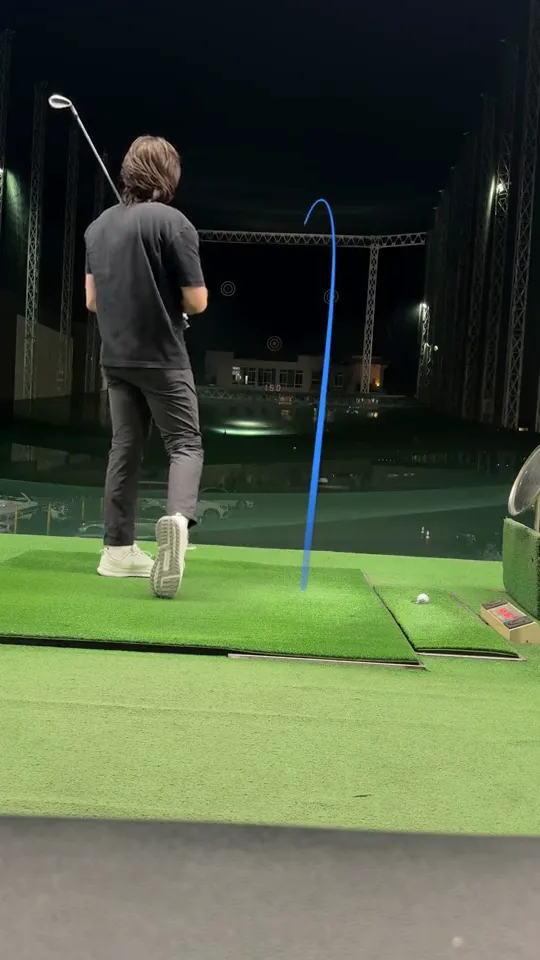
Night range 
Night range 
Night range 
Night range 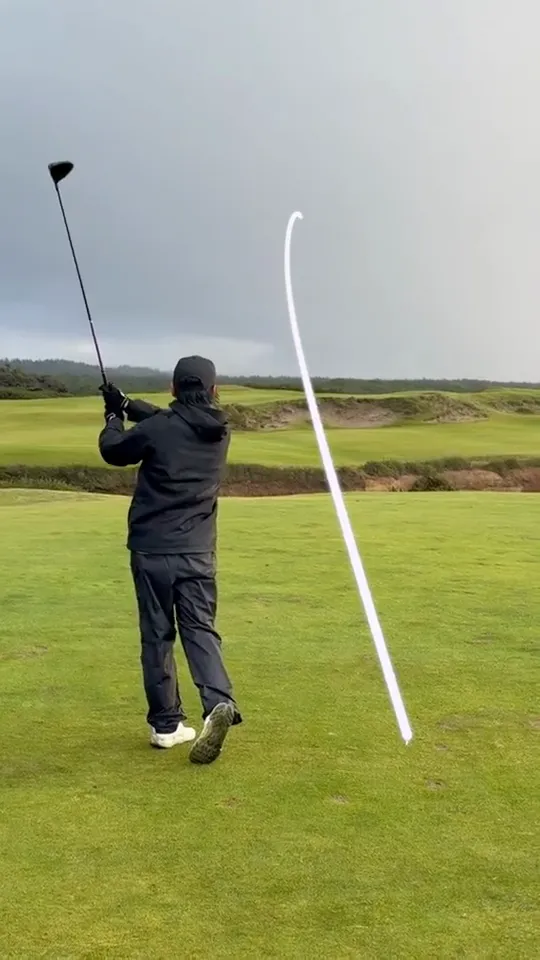
Links course, driver
How it works
One video in. Every shot out.
No scrubbing, no trimming, no tapping on the ball. Comet does the tedious part while you keep hitting.
-
01
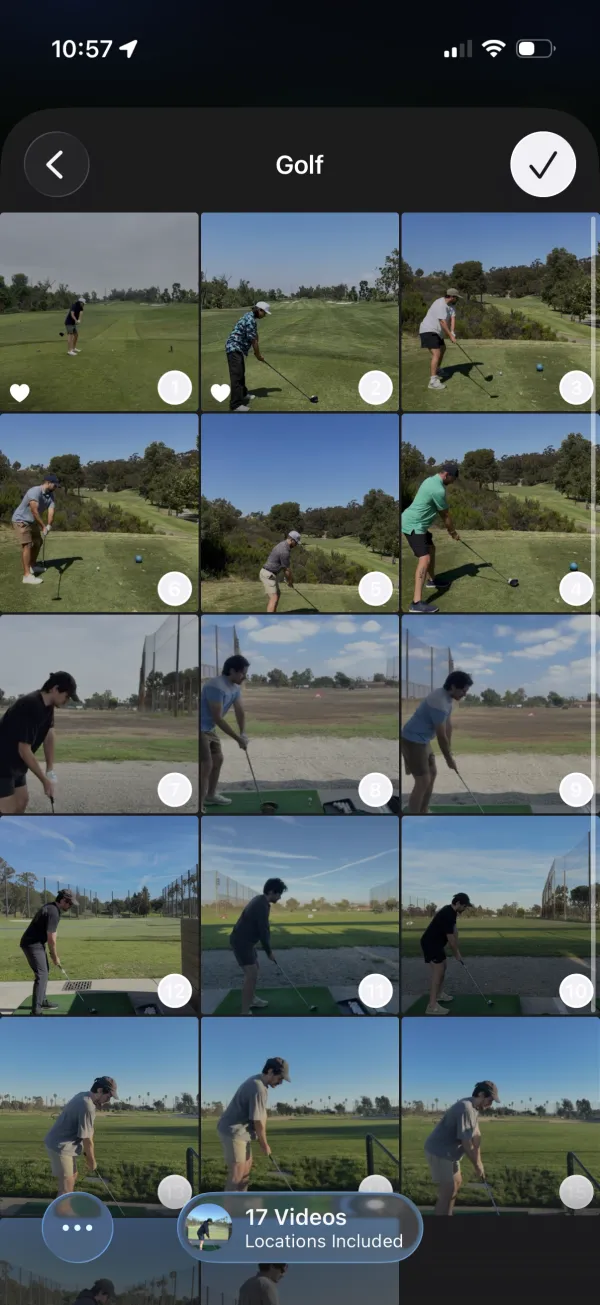
Pick your videos
Choose one long video or a whole stack from Photos. Comet only sees the videos you select.
-
02
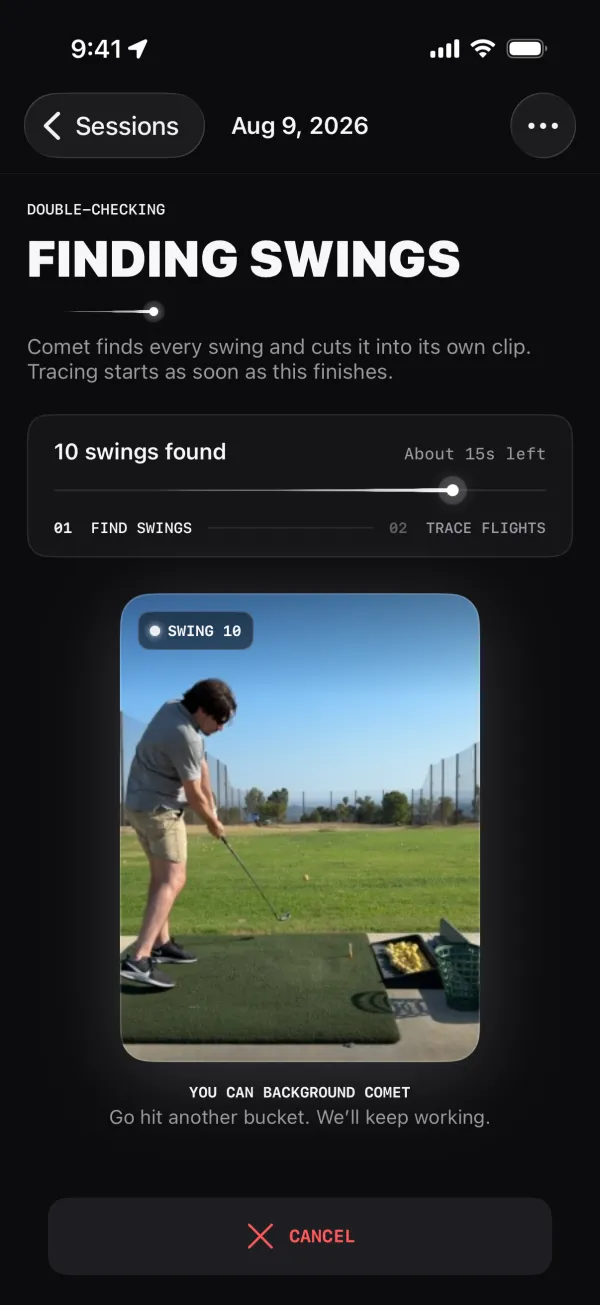
Comet finds every swing
Each swing becomes its own clip, and tracing starts as soon as the clips are ready.
-
03
Watch every flight
Open your shots and watch the traces as they finish. Favorite the keepers, then save or share them.
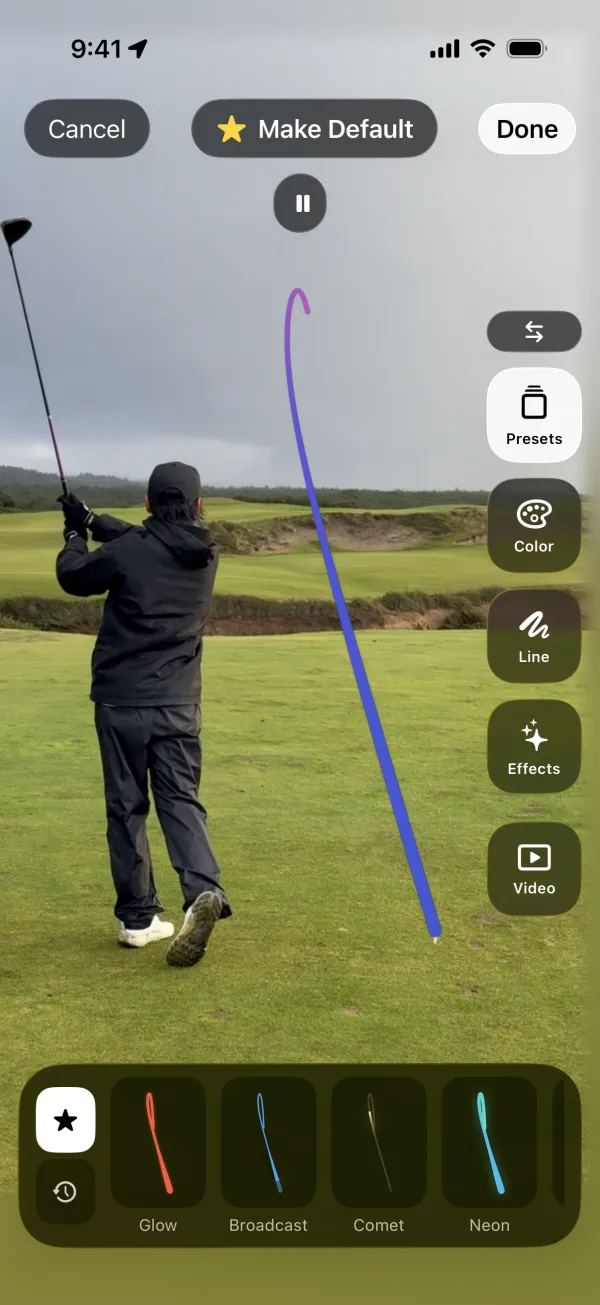
Trace styles
Make every trace yours.
Pick a look for your ball flight and set it as your default, so every new shot comes out the way you like it.
- Presets including Glow, Broadcast, Comet, and Neon
- Adjust color, line, and effects
- Make a style your default for future traces
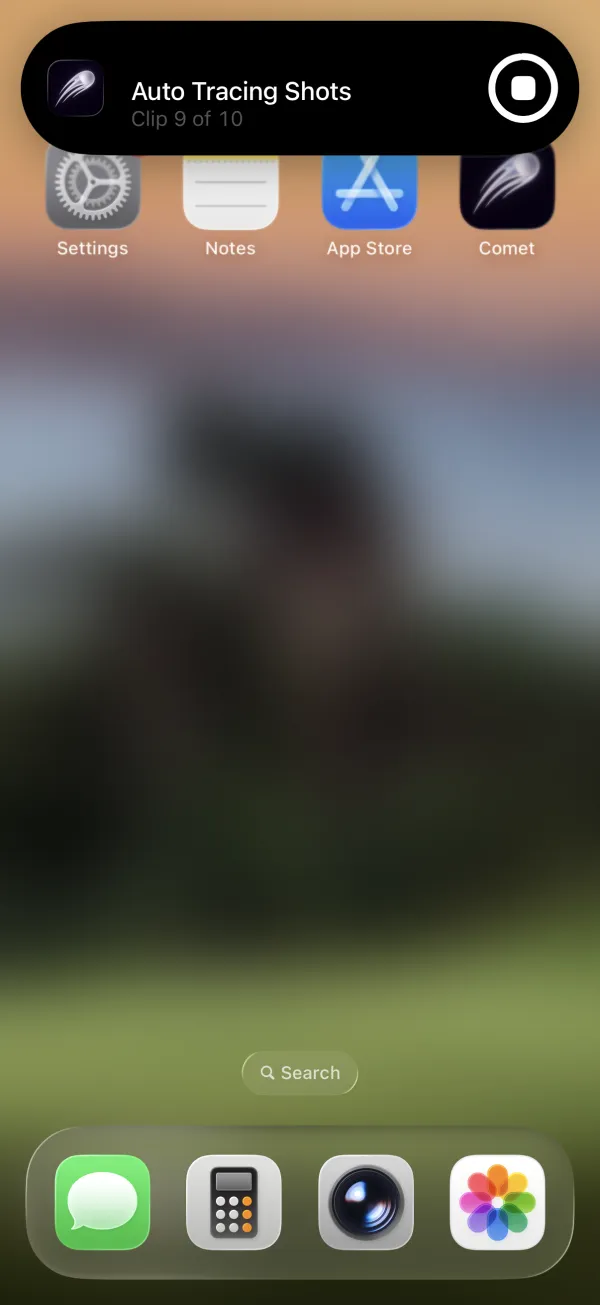
Background processing
Go hit another bucket.
Comet keeps clipping and tracing after you leave the app, whenever iOS allows it. Check progress at a glance and come back to finished shots.
- Traces queue automatically, one shot at a time
- A Live Activity shows tracing progress while you’re away
- Interrupted work resumes when you reopen Comet
Share it your way
Ready to post, nothing to edit.
Send a single traced shot, stitch a whole session together, or hide faces before anything leaves your phone.
Private by design
Your swing stays yours.
Processed on your iPhone
Swing detection, clipping, and tracing all run on-device. Your videos are never uploaded.
No account, ever
No sign-up, no email, no profile. Open the app and start tracing.
Only what you pick
Comet gets access to the videos you select, not your whole Photos library. Read the Privacy Policy.
From the blog
Get more out of your range videos.
What makes Comet different from other golf tracer apps
One clip or a whole session, range or course, tripod or handheld: Comet finds your swings and traces every ball flight automatically, on your iPhone.
Read article →What is a golf ball tracer, and how do you get one on iPhone?
A golf ball tracer draws the ball’s flight over your video. Here’s how tracers work, the kinds of tracer apps, and how to trace shots on iPhone automatically.
Read article →How to turn one long range-session video into individual swing clips
Stop scrubbing through a 30-minute range video. Here’s how to record a whole bucket once and get every swing as its own traced clip on iPhone.
Read article →What does Comet do?
Comet is an iPhone app for golfers. Pick one long golf video from Photos and Comet finds each swing, cuts it into its own clip, and automatically traces the ball’s flight in every clip.
Does Comet upload my golf videos?
No. Swing detection, clipping, ball-flight tracing, and playback all happen on your iPhone. Comet does not upload your videos, clips, thumbnails, shot traces, or swing-analysis results. You can check: after the first launch, Comet clips and traces in Airplane Mode. The Privacy Policy covers the limited analytics and crash diagnostics Comet does collect.
Do I need an account to use Comet?
No. Comet does not ask for your name, email address, or an account. Comet Pro purchases are handled by your Apple Account through the App Store.
Is Comet free?
Comet is free to download and includes 10 free scans each month. Saving and sharing clips, additional scans, and other features may require Comet Pro, an optional in-app subscription. The price shown in the app before purchase applies; see the Terms of Service for billing details.
What kind of golf video works best for shot tracing?
Make sure the golfer is fully visible, the light is good, and the ball is clearly visible. Comet handles handheld footage, panning, and zooming, so you don’t need a tripod. Some videos may not produce a visible trace, and automatic traces can be imperfect, so you can review shots and retry failed traces. Our guide to filming your swing for shot tracing has more tips.
Can I hide faces before sharing a clip?
Yes. When you export, Comet can blur, pixelate, or place an emoji over every detected face. Faces are found on your iPhone, and only the exported copy changes; your original video stays untouched. Face privacy exports are part of Comet Pro.
Which devices does Comet support?
Comet runs on iPhone with iOS 26 or later and is available on the App Store.
How is Comet different from other golf tracer apps?
Comet works with whatever you filmed: one clip or a whole session, on the range or the course, on a tripod or handheld with panning and zooming. It finds every swing, cuts each into its own clip, and traces the ball’s flight automatically, so there’s no trimming and no tapping on the ball. It all runs on your iPhone, with no uploads and no account. Read what makes Comet different.
Can Comet keep working when I leave the app?
Yes, when iOS allows it. Comet asks iOS to continue clipping and tracing in the background. If iOS pauses the work, reopen Comet and it resumes where possible.
Stop scrubbing. Start watching your flight.
Free to download, with 10 free scans every month. No account needed.
